Advertising campaign in Telegram Ads: the principle of account operation

Telegram Ads is the official platform for placing paid advertisements within the popular messaging app Telegram. It allows launching advertising campaigns to attract new users, increase brand reach, boost engagement, and drive sales. Telegram boasts a vast audience primarily composed of active mobile users, making advertising here effective for various businesses and projects.
In this article, we will explore the principles of how the ad cabinet operates and familiarize ourselves with its advantages.
Registration and Telegram Ads Account Setup
First, you need to visit https://ads.telegram.org/account and log in.
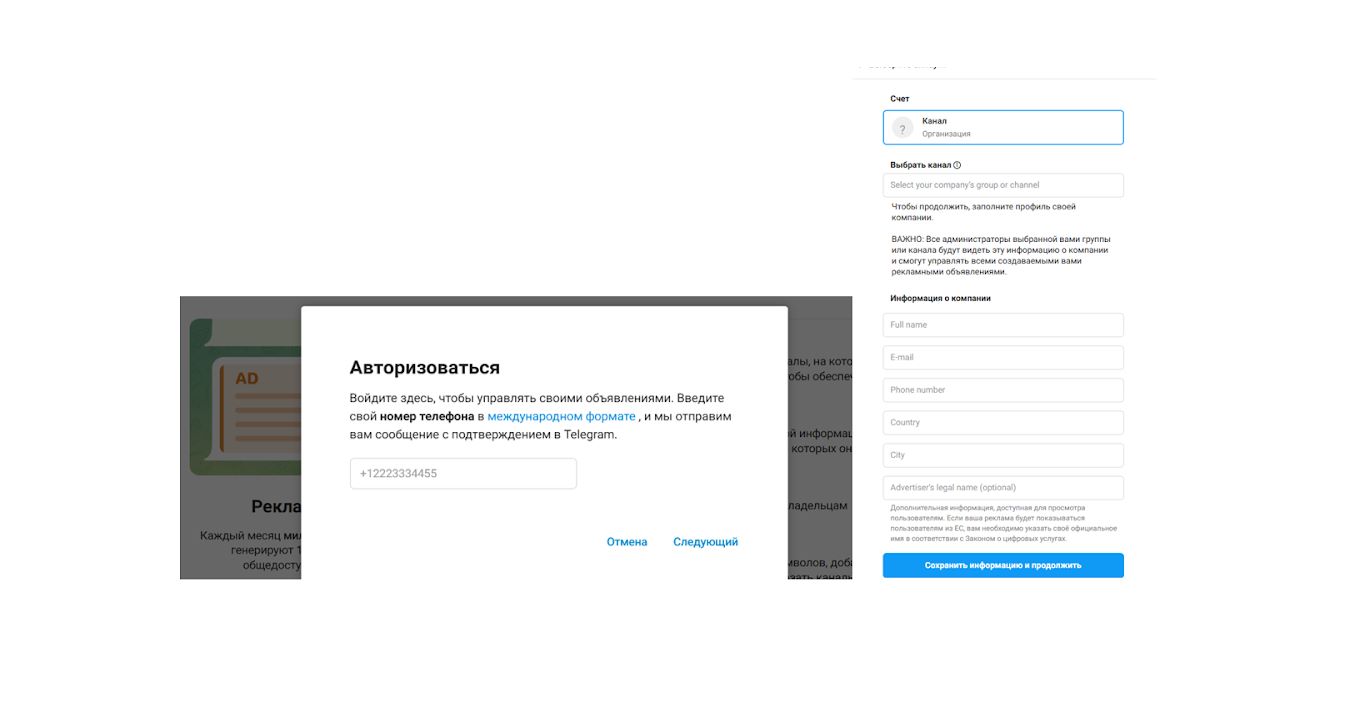
In the next section, you will need to create an ad, considering the following parameters:
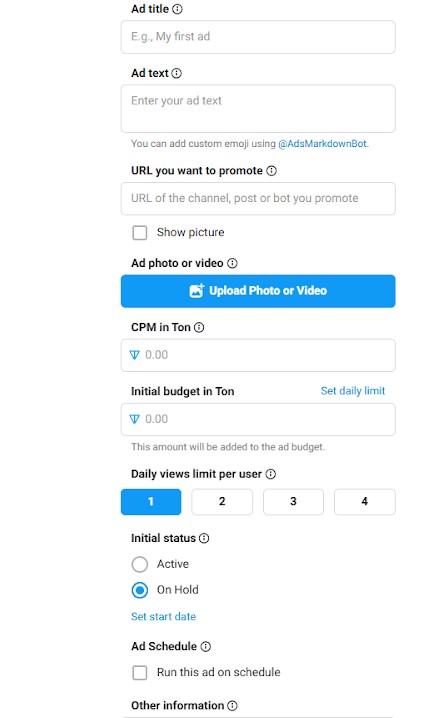
- Specify the ad name; to make it easier to find, it is recommended to keep it short.
- Add the ad text (up to 160 characters).
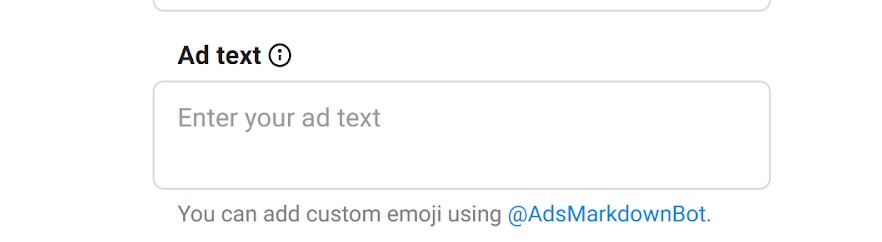
The style requirements for Telegram Ads are similar to those of other advertising systems. You can review Telegram Ads guidelines on the official website https://ads.telegram.org/guidelines
— Use calls to action (“Buy,” “Learn More”) or a unique selling proposition (USP) that highlights your product or service among competitors.
— Avoid addressing users with “you” or imperative mood.
— Do not use profanity or offensive language.
— The text must match the content of the landing page.
- The next step is to add a link in the URL field (the link you want to promote), after which you can upload a photo or video.
Video requirements:
— Format: MP4;
— Duration: from 3 to 60 seconds;
— Aspect ratio: 16×9;
— Width: at least 640px;
— File size: up to 20 MB.
It’s worth noting that the minimum CPM rate for media files will differ:
— When adding images, CPM increases by 50% for targeting topics and 80% for targeting channels;
— When adding videos, CPM increases by 70% for topics and 100% for channels.
Image requirements (Telegram ads size):
— Format: JPEG or PNG
— Aspect ratio: 16×9
— Width: at least 640px
— File size: up to 5 MB
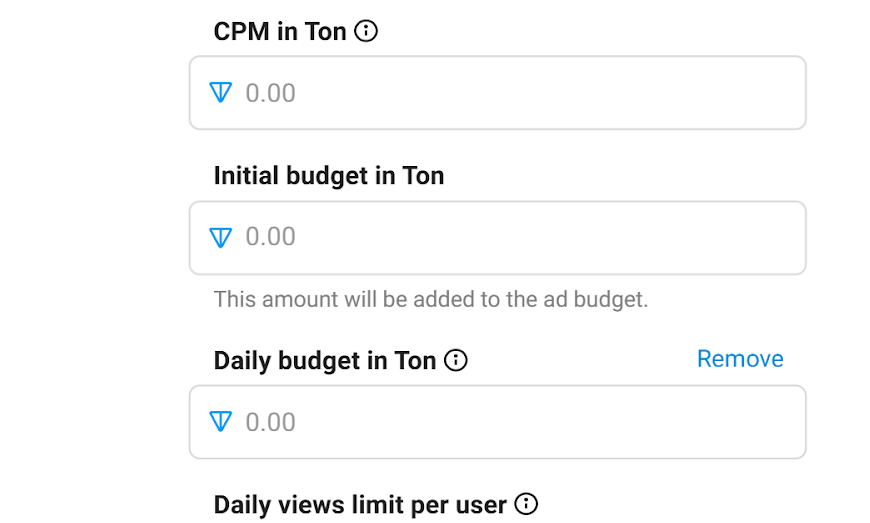
4. The next step involves planning your budget. The initial budget in Ton — your starting budget — can be set using the Set daily limit option to specify a daily spend limit. Telegram Ads has its own internal currency; if you specify an amount, it will be converted into euros.
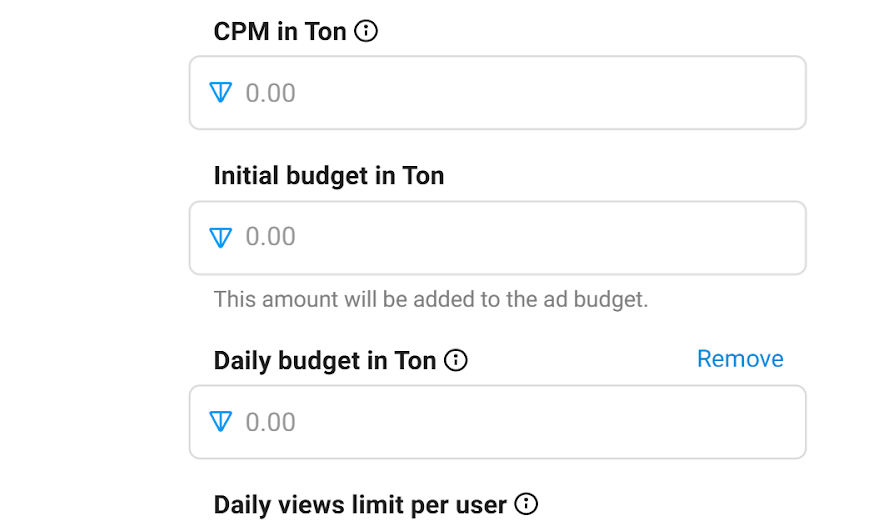
5. Using the Daily views limit per user option, you can restrict how many times a single user sees your ad per day — up to four times. Note that impressions are not unique; each time a user sees the ad counts as a new impression.
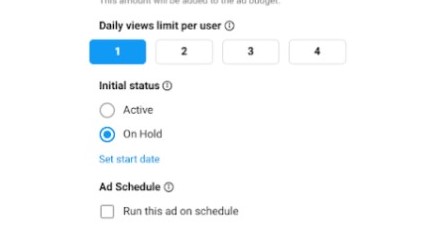
6.Initial Budget refers to the total amount an advertiser is willing to spend on a specific ad over its entire run time. The ad will continue showing until this budget is exhausted. After launching, you can adjust this amount, which is why it’s called initial. The Daily Budget helps control impressions over a specified period and prevents sudden overspending.
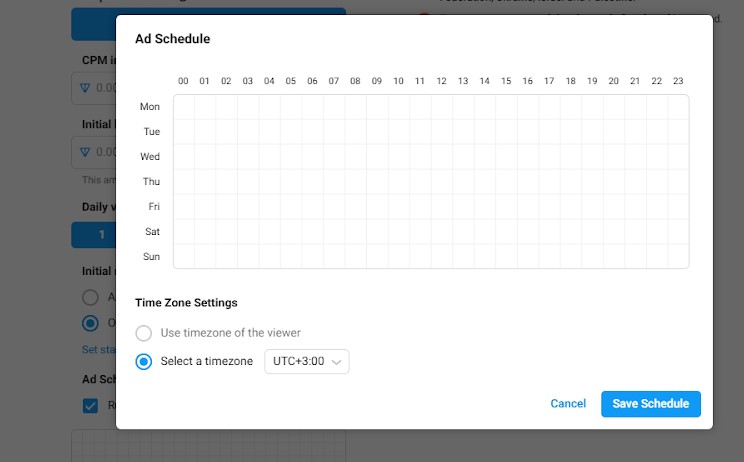
7.During the scheduling phase, you can set start and end dates for your campaign and configure a schedule. In the table, days of the week are listed vertically, hours horizontally. Additionally, at the bottom (time zone settings), you can specify which time zone the system should follow.
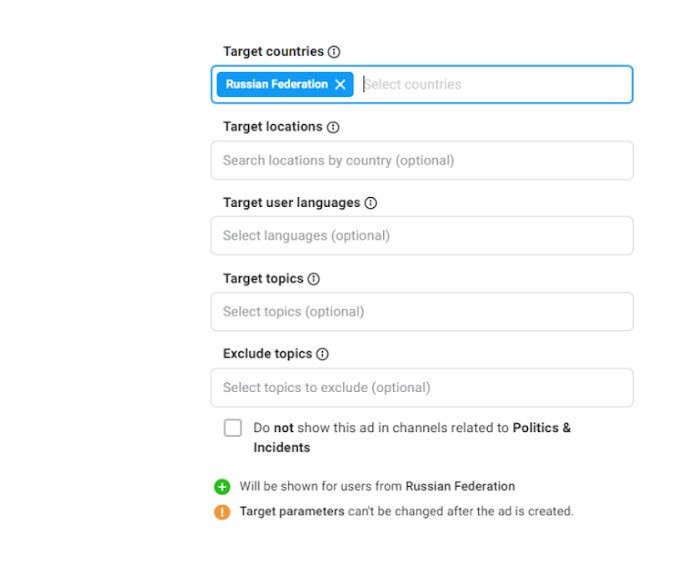
8.The next step is targeting — specify country, city, language, relevant topics, and topics you want to exclude.
Telegram ads moderation features
When you finish creating an ad, it may have statuses such as:
- Stopped — appears not only for new ads without a budget but also when funds run out.
- In Review — indicates that your ad is undergoing moderation.
- Declined — means your ad did not pass moderation.
- Active — your ad is active and visible to users.
- On Hold — showing of your ad has been paused.
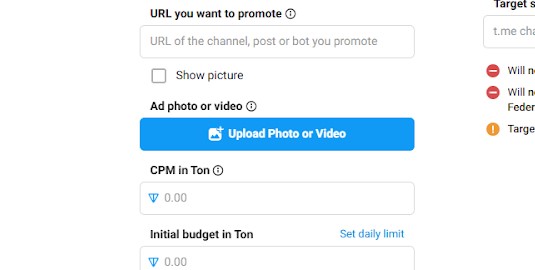
To submit an ad for moderation, you need to top up your advertising account balance on the main dashboard page. After launching an ad campaign, you can modify its budget by going to Manage Budget.
Let’s examine in detail the pros and cons of using Telegram Ads for promoting products and services
Advantages include high user activity within Telegram, especially in CIS countries including Russia. Targeting on this platform offers precise audience segmentation, increasing the likelihood that your ads will be shown to genuinely interested users. Telegram users tend to check notifications regularly and read posts in channel feeds; as a result, ads receive significant attention and engagement, leading to more clicks and conversions. With Telegram Ads, you can set daily spending limits independently, manage bids, and control your budget easily. Launching your first campaign is straightforward thanks to an intuitive interface that allows quick familiarization with core tools and start promotion promptly. Most of Telegram’s audience uses mobile devices; this creates favorable conditions for promoting products and services aimed at mobile users.
- A handy Telegram channel analytics tool for analyzing your own and competitor pages.
Despite many positive aspects, there are some drawbacks. Telegram Ads is less widespread compared to traditional social networks or search engines; this may hinder some brands from reaching new audiences if potential customers ignore such ads or perceive them as spam. Additionally, Telegram Ads does not integrate well with external tracking systems or web analytics tools; comprehensive performance tracking requires additional solutions, complicating campaign management and oversight. It’s also important that platforms adapt better for mobile traffic optimization.
Conclusion
Telegram Ads offers entrepreneurs broad opportunities for effective promotion of their products and services. However, when deciding whether to use this platform, it’s essential to consider both its advantages and limitations carefully. Proper campaign management combined with regular improvements in advertisements will help maximize benefits from Telegram Ads’ capabilities.
Useful articles on a similar topic:
- Secrets of creating an effective business channel on Telegram;
- How to successfully run Telegram giveaways;
- Successful and unsuccessful examples of gender marketing advertising.

Try Popsters Trial plan to get content activity statistics of any pages for a next 7 days for free
Try for free
Popular
-
 Analytics and Statistics for Any Telegram Channel or Chat
-
 How to Increase Telegram Subscribers: Best Free Ways
-
 How to Remove fake Followers on Instagram and Is It Necessary?
-
 Instagram Statistics and Analysis: How to View Data of any Account
-
 YouTube Analytics and Statistics for Other Channels
Try Popsters Trial plan to get content activity statistics of any pages for a next 7 days for free
Try Popsters